Mobile finance hub for tracking cash flow and portfolios on Android
Tracks income and expenses, visualizes cash flow, and manages asset portfolios on Android devices. EliteClouds, from Shoaib tech solution, pairs budgeting tools with market analysis in a single app. The interface emphasizes clear charts and a modern layout, while core workflows let users add transactions, assign categories, and review historical entries. The app targets individuals who want a mobile-first way to monitor daily finances and basic investment holdings.
What the app asks you to do and how it rewards tracking
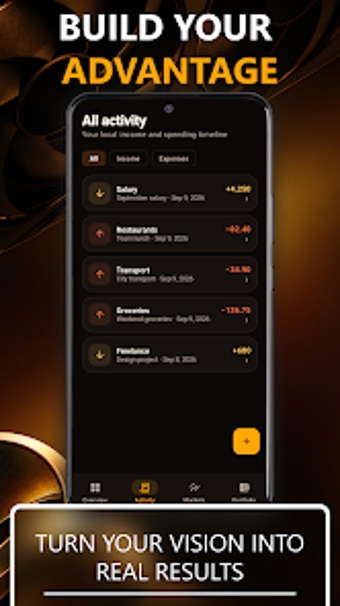
In this app, the core loop is manual entry plus visual review: users add income and expense records with dates, categories, and notes, then consult a transaction history. The application groups items into customizable categories and generates cash flow charts for visual analysis. That setup supports regular bookkeeping on the device and gives a clear timeline of financial activity through the charts the app creates.
Does it include market and portfolio tools or just budgets?
In this app, the developer extends beyond simple budgeting by including a market analysis section and an asset portfolio area. The market view lets users monitor financial instruments and their performance, while the portfolio section centralizes holdings so users can see positions alongside personal cash flow. These sections turn a spending tracker into a mixed-purpose finance tool for users who keep some investments.
How the interface and performance affect daily use
In this app, the interface emphasizes a modern, clean presentation aimed at making charts and lists readable on small screens. The installer size is small, reported between about 2.7 MB and 5 MB, which keeps storage and memory demands low on typical Android devices. The compact footprint supports faster installs and modest runtime overhead for people on lower-end hardware.
Recommendation for mobile-focused personal finance users
EliteClouds suits Android users who want one app that covers both expense tracking and basic market monitoring. Its small install size and combined budgeting-plus-portfolio approach make it practical for single-device use. However, it is a relatively new entry and is still building its user base, so users who prefer widely adopted platforms may prefer to consider that when choosing an app for long-term financial management.